
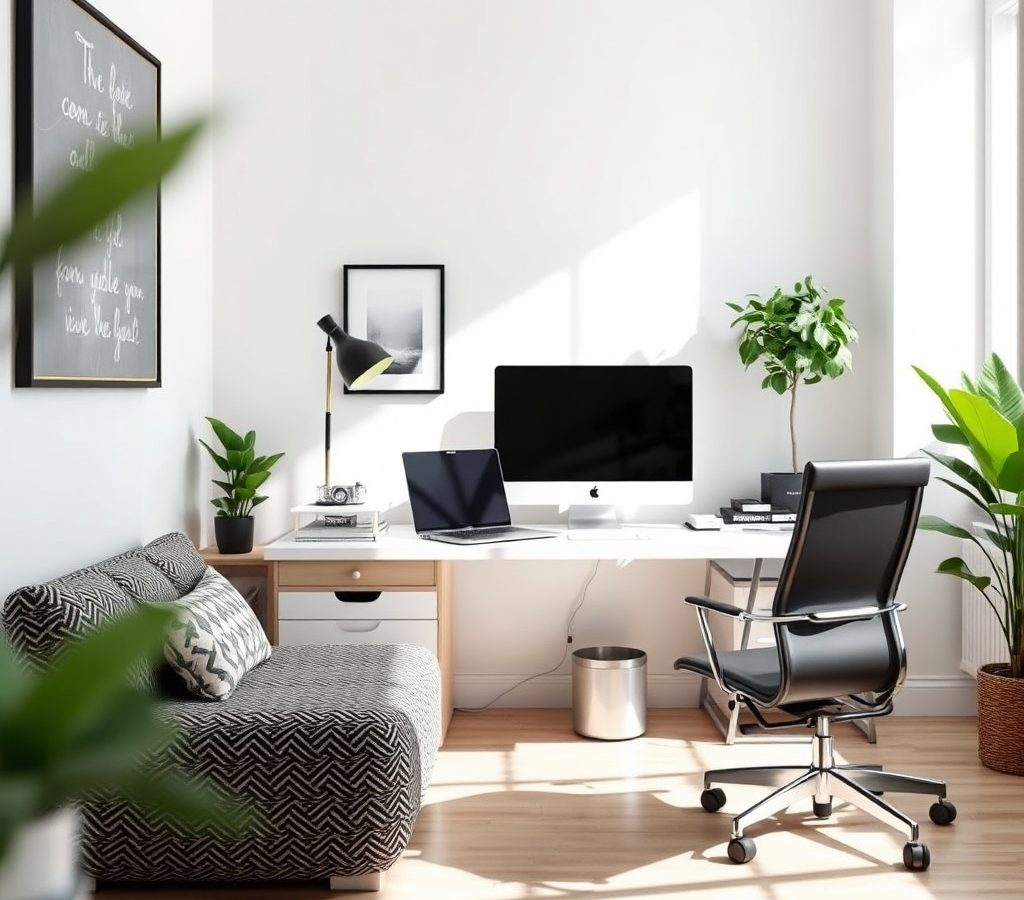
How to Set Up a Home Office for Maximum Comfort

How to Set Up a Home Office for Maximum Comfort
The transition to remote work has changed how we view our living spaces. What began as a temporary setup at the kitchen table often evolves into a permanent workspace that requires more attention to detail. When you set home office boundaries and physical infrastructure, you are not just creating a place to work; you are investing in your long-term health and daily productivity.
Achieving a comfortable environment is about more than just buying expensive gear. It is about understanding how your body interacts with your furniture and how your environment influences your focus. By focusing on ergonomics and intentional design, you can eliminate the aches and pains that often accompany long hours at a desk.
The Foundation of Your Workspace
Your desk and chair act as the anchors of your office. If these two elements are not configured correctly, no amount of fancy lighting or high-end peripherals will save you from discomfort.
Selecting an ergonomic chair
The most important piece of furniture you will own is your chair. Look for a model that offers adjustable lumbar support, which helps maintain the natural inward curve of your lower spine. You should also be able to adjust the seat height so that your feet rest flat on the floor, with your knees at a 90-degree angle.
If your chair does not provide enough support, consider adding a separate lumbar pillow. Adjustable armrests are also beneficial, as they allow you to keep your shoulders relaxed while typing. Avoid chairs that force you to hunch forward, as this is the primary cause of neck and shoulder strain.
Finding the right desk height
A desk that is too high forces you to shrug your shoulders, while one that is too low causes you to slouch. Ideally, your desk should be at a height where your elbows rest at a 90-degree angle while your hands hover over the keyboard. If you cannot adjust your desk, you can use a footrest to elevate your legs or a keyboard tray to lower your input devices.
Standing desks have become popular for their ability to break up sedentary patterns. If you choose to use one, ensure you alternate between sitting and standing throughout the day. Using a desk mat or an anti-fatigue pad can make standing for longer periods much easier on your joints.
Optimizing Your Monitor and Input Devices
Where you look and how you type dictate your posture for the majority of your workday. Placing these items incorrectly creates a chain reaction of tension that moves from your wrists up to your neck.
Positioning your screen correctly
Your monitor should be placed directly in front of you at arm’s length. The top third of the screen should be at or slightly below eye level. If you are using a laptop, you are likely looking down, which puts immense strain on your neck.
To fix this, use a laptop stand to bring the screen up to eye level and connect an external keyboard and mouse. This simple change mimics a desktop experience and prevents “tech neck,” a common condition caused by prolonged downward gazing.
Choosing comfortable peripherals
Your mouse and keyboard should allow your wrists to remain in a neutral, straight position. If you notice your wrists bending upward or outward, you need to adjust your setup. Ergonomic keyboards, which are often split or tented, can help keep your hands in a more natural position.
A vertical mouse is another excellent tool for reducing forearm strain. By keeping your hand in a handshake position rather than a flat palm position, you reduce the pressure on the carpal tunnel. Test a few different sizes to ensure the device fits your hand comfortably.
Lighting and Environmental Control
The atmosphere of your room influences how you feel throughout the day. Poor lighting can lead to eye strain, while a cluttered or noisy environment can fracture your concentration.
Managing natural and artificial light
Natural light is ideal, but it often brings the challenge of glare. Position your desk perpendicular to windows rather than facing them or having them directly behind you. If you must face a window, use blinds or sheer curtains to diffuse the light.
For artificial lighting, avoid relying solely on a single overhead bulb. Use a task lamp with an adjustable arm to direct light onto your desk surface, and consider using warm-toned bulbs to reduce the harsh blue light that can cause fatigue. If your eyes feel tired by the afternoon, check for reflections on your screen and adjust your lamp accordingly.
Reducing background noise and distractions
An ergonomic setup also involves sensory comfort. If your office is in a high-traffic area, use noise-canceling headphones to create a sense of personal space. If you work in a room with hard surfaces, add rugs or acoustic panels to dampen echoes.
Clutter is another form of distraction that creates mental fatigue. Keep your desktop clear of items you do not use daily. A clean workspace allows your mind to focus entirely on the task at hand rather than navigating around piles of paper or unnecessary gadgets.
Maintaining Physical Health Through Movement
Even the most ergonomic chair cannot compensate for staying in one position for eight hours straight. The human body is designed for movement, and your office habits should reflect that.
Implementing the 20-20-20 rule
Eye strain is a common issue for anyone who works at a computer. To combat this, follow the 20-20-20 rule: every 20 minutes, look at something 20 feet away for at least 20 seconds. This simple habit gives your eye muscles a necessary break and helps prevent headaches.
Stretching and micro-breaks
Try to stand up and walk around at least once an hour. Use this time to stretch your neck, shoulders, and back. Simple movements like rolling your shoulders, reaching for the ceiling, or doing a few calf raises can significantly improve circulation.
When you set home office routines, include these movement breaks as part of your schedule. Treat them with the same importance as a meeting or a project deadline. Your physical well-being is the engine that drives your productivity, and it requires regular maintenance.
Conclusion
Creating a comfortable workspace is an ongoing process of refinement. You do not need to renovate your entire house to see improvements. Start by adjusting your chair and monitor, then move on to optimizing your lighting and organizing your desk.
As you settle into your new configuration, pay attention to how your body feels at the end of the day. If you still feel tension, make small adjustments until everything feels natural. When you set home office standards that prioritize your health, you will find that you have more energy, better focus, and a much more enjoyable workday. Remember that the best office is one that adapts to your needs, rather than one that forces you to adapt to it.